The month
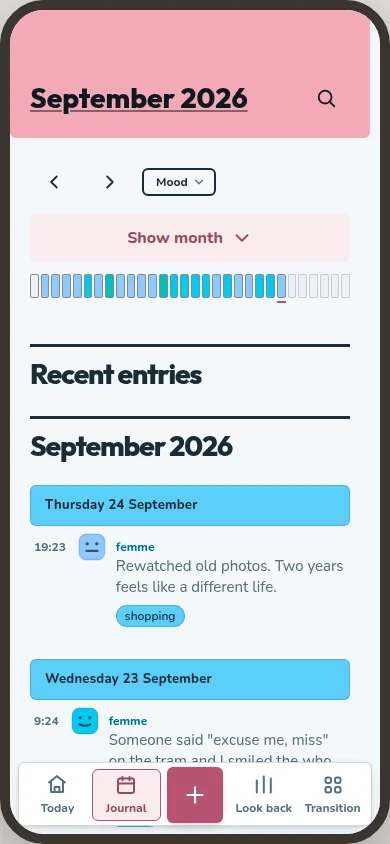
Journal is the second tab, and it holds your own days. It opens on the month as a heat map. Days with entries are filled in, coloured by your mood or, if you switch it, by one of your gender scales, and a deeper colour means a higher value. No colour means good or bad.
Under the month are your recent entries, and the button below them shows five more days at a time.
One day
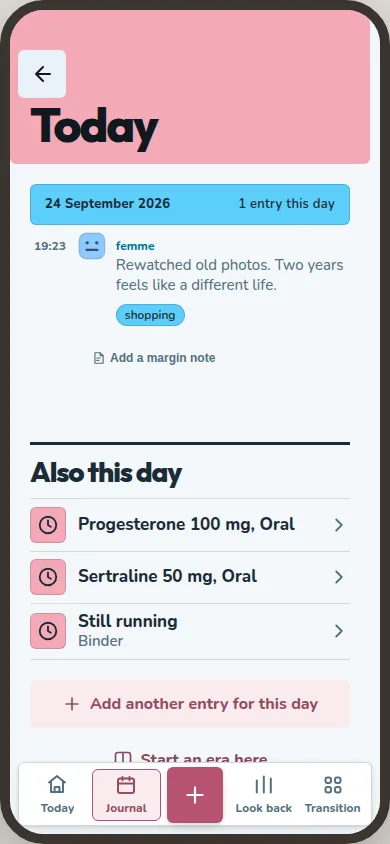
Tap a day to see everything logged on it. A day can hold as many entries as you like. A day still ahead with a small mark has something planned, such as a dose or an appointment, and tapping it shows what.
Search
The search icon at the top of Journal opens search. Before you type, it offers your most-used tags and recent searches. Filters narrow the results by tag, mood, dates, or starred.
Star an entry you want to find again, then filter by Starred to see all of them.
You can save a search as a question. Opening it later searches your journal as it is then, not as it was when you saved it.
Writing an entry
An entry is one moment. It needs just one thing, such as a mood, a note or a photo.
The note comes first, under the date. The moods and the star sit on the save bar at the bottom. Under the note, a row of chips opens the rest one at a time: mode, gender scales, tags, the body map, and attachments such as photos and voice recordings.
The body map is where you mark how a part of your body feels. Pick a spot, then slide towards dysphoria or towards euphoria. Leaving it in the middle records nothing.